Graphic design software choices and monthly subscription fees
Graphic design is the professional practice of planning and projecting ideas and experiences with visual and textual content. This article explores software pricing, skill requirements, and hardware needs for practitioners in the field.
Essential software subscription options and typical monthly costs
Choosing the right application depends on whether you focus on vector illustration, photo editing, or page layout. Professional suites usually operate on monthly recurring billing models rather than one-time purchases.
| Software Suite | Monthly Cost | Primary Application |
|---|---|---|
| Adobe Creative Cloud | 54.99 USD | Comprehensive editing and vector work |
| Affinity V2 Universal | 169.99 USD one-time | Standalone vector and raster tools |
| CorelDRAW Graphics Suite | 26.92 USD | Vector illustration and page layout |
| Canva Pro | 14.99 USD | Template-based browser design |
Budgeting for these tools requires checking annual commitment clauses and student discount eligibility. Failing to read the cancellation terms often results in early termination fees equal to fifty percent of the remaining contract balance.
Hardware specifications required for smooth rendering workflows
Running modern visual content creation tools demands adequate processing power and memory capacity. Integrated graphics processors struggle when handling high-resolution raster files or complex vector artboards with thousands of anchor points.
- Minimum sixteen gigabytes of system memory for basic image editing tasks
- Dedicated graphics card with at least four gigabytes of video random access memory
- Solid-state drive storage with a minimum read speed of 3500 megabytes per second
- Color-calibrated IPS monitor covering 99 percent of the sRGB color space
Neglecting color calibration leads to severe discrepancies between digital proofs and final printed output. Hardware upgrades should prioritize RAM before investing in secondary displays or external storage devices.
Step-by-step workflow for launching a new project
Executing a professional assignment follows a structured sequence from initial client brief to final asset delivery. Skipping the research phase frequently leads to misaligned visual outcomes and costly revisions.
- Analyze the creative brief to identify target audience demographics and technical deliverables.
- Gather mood boards and reference imagery to establish color palettes and typographic hierarchies.
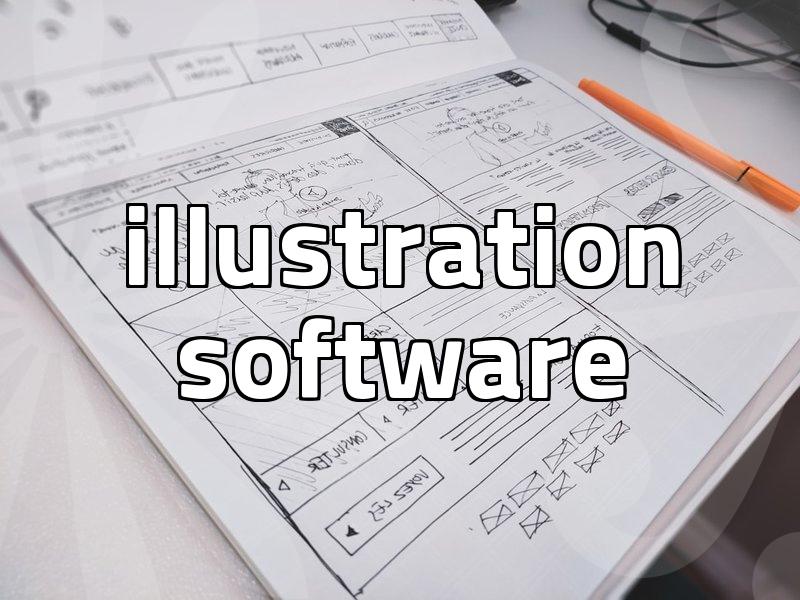
- Draft low-fidelity wireframes or thumbnail sketches on paper or directly inside digital software.
- Build high-fidelity vectors and raster compositions using a non-destructive layer workflow.
- Export final files in appropriate formats such as vector PDF for print and compressed PNG for web.
Common pitfalls in client communication and file management
Many practitioners encounter avoidable setbacks due to poor version control and vague contract scopes. Establishing clear boundaries regarding revision rounds prevents scope creep on tight deadlines.
| Mistake Type | Common Consequence | Prevention Method |
|---|---|---|
| Unsecured Files | Data loss during software crashes | Enable automated hourly cloud backups |
| Missing Fonts | Broken typography on client machines | Convert all active text to vector outlines |
| Wrong Color Mode | Dull prints due to RGB usage | Set color mode to CMYK before starting print layout |
Ignoring file organization standards makes it difficult to hand off projects to team members or corporate clients. Establishing a standardized folder naming convention saves hours of searching during final export stages.
Educational pathways and skill acquisition methods
Acquiring professional competency in graphic design involves mastering composition theory, color systems, and software navigation. Self-taught learners often struggle with critique, which makes structured feedback loops essential for rapid improvement.
Enrolling in specialized training programs helps build a cohesive portfolio that meets industry standards for junior positions. Technical proficiency alone is rarely sufficient without a strong foundation in grid systems and visual hierarchy.
Frequently asked questions about graphic design
How long does it take to become employable in graphic design?
Building sufficient skills to secure an entry-level position typically takes between one to two years of consistent, daily practice and portfolio development. The exact timeline depends on prior art experience and the number of hours dedicated each week.
Do I need a formal university degree to find work?
A formal degree is not strictly mandatory because employers place the highest value on practical portfolios and demonstrated technical competence. However, degree programs provide structured critiques and networking opportunities that accelerate professional growth.
What is the difference between vector and raster graphics?
Vector graphics use mathematical formulas to define lines and curves, allowing them to scale infinitely without losing quality. Raster graphics use a grid of colored pixels, meaning they lose sharpness and become pixelated when enlarged beyond their original resolution.
Successful execution relies on matching your technical capabilities to the specific requirements of each visual project.